Here is a detailed breakdown of the disassembly and upgrade options for the Dell Latitude 11 3190 (2-in-1) from the video by LaptopMedia:
B
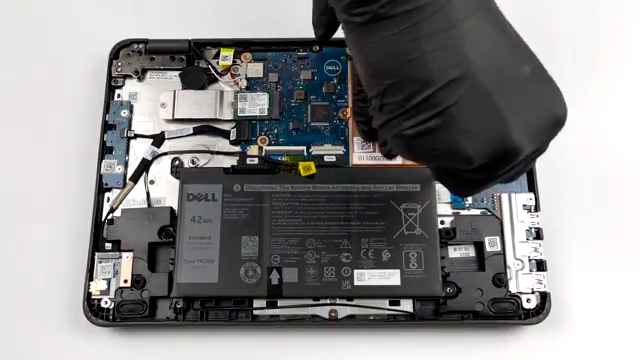
Here is a detailed breakdown of the disassembly and upgrade options for the Dell Latitude 11 3190 (2-in-1) from the video by LaptopMedia:
B
ottom Panel Removal: The bottom panel is secured by seven captive Phillips-head screws [00:08]. After loosening them, you can use a plastic
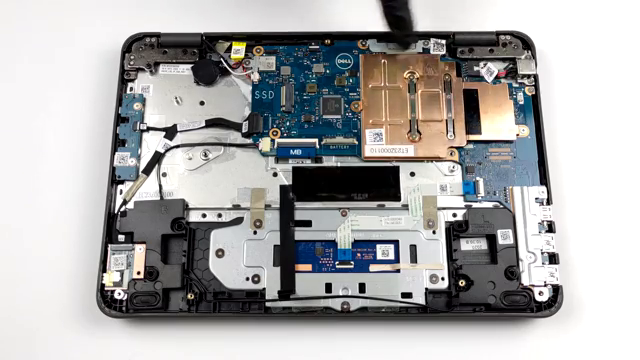
pry tool to easily lift the panel away from the chassis [00:16].
Battery: The device is equipped with a 42Wh capacity battery [00:37].
Mem

ory (RAM): There are no RAM upgrade slots available [01:34]. The memory is permanently soldered to the motherboard in either 4GB or 8GB con

figurations [01:34].
Storage: The laptop features a single M.2 slot designated for storage upgrades [01:41].
Cooling System: The thermal so

lution relies on a single medium-sized heat spreader [01:51]. Because it lacks a cooling fan, the device operates completely silently [01:5

1].
https://www.youtube.com/watch?v=d83t04HBOC4
🛠️ Dell Latitude 11 3190 (2-in-1) - disassembly and upgrade options
LaptopMedia · 91K views
Viewer Discussion & Comments